natPass
UI/UX Design
•
Designathon
•
2024
TIMELINE
March 22-24 2024
TOOLS
Figma, Photoshop, Illustrator, Freeform
ROLE
UI/UX, Visual design, Wireframing, Prototyping, Ideating, Moodboard, Research
TEAM
whoisleigh357@gmail.com (Leigh Carleton)
raunak1@ualberta.ca (Raun)
saachi@ualberta.ca (Saachi)
yagya.parihar@gmail.com (Yagya)
Introduction
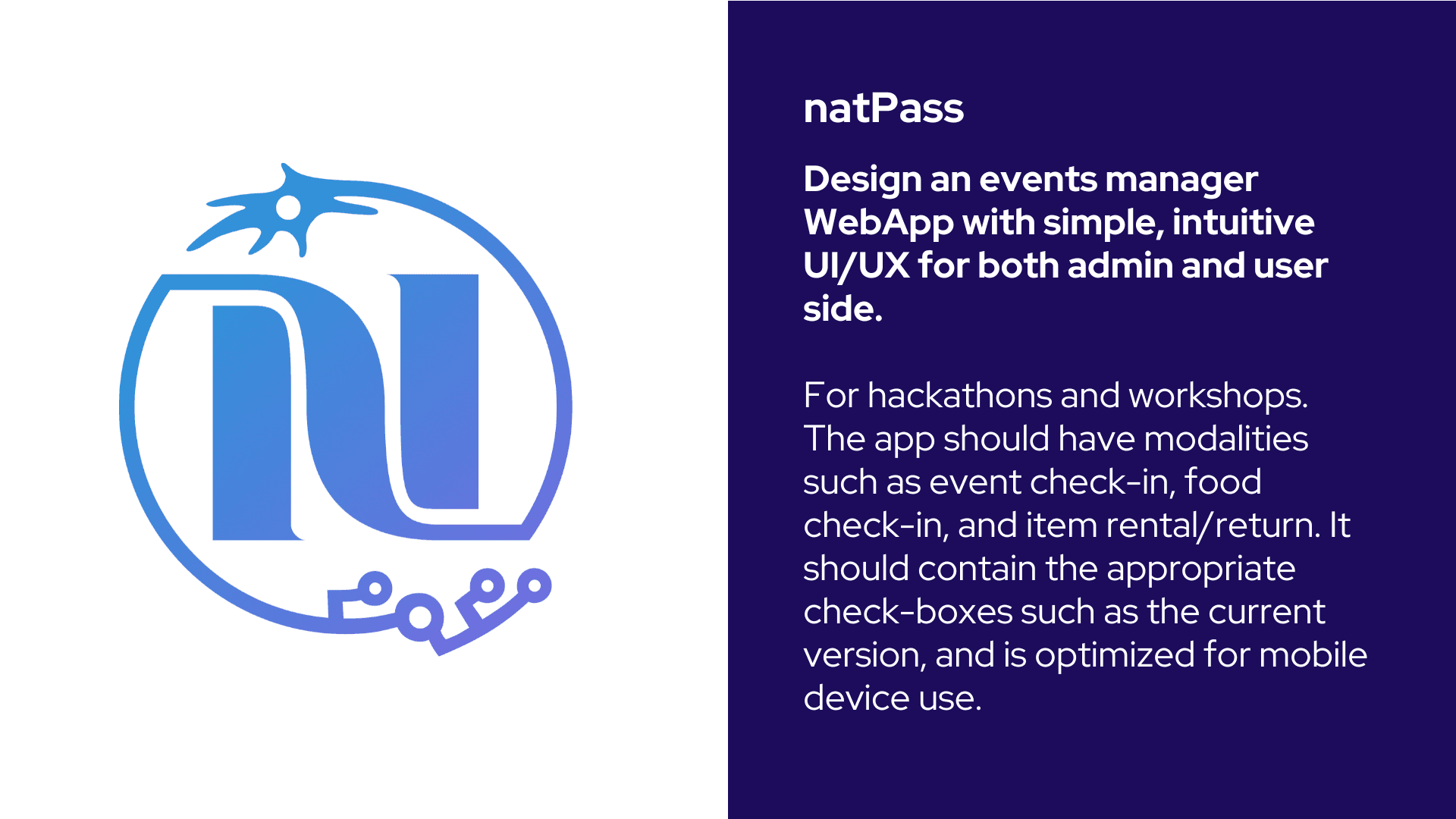
In a team of 4, our purpose was to enhance the event check-in web app UI/UX for natPass, more info on natPass below.
BACKGROUND:
natPass, is a WebApp which was used for natHACKS 2023 (in-house hackathon) check in. It directly interfaces with QR codes each hacker is assigned to check them in at the start of the hackathon, during meal time, and to rent and return hardware. There is an admin and user side to natPass which should be prompted on login.
PROMPT:
Design an enhanced events manager WebApp with simple, intuitive UI/UX for both admin and user side. The use cases would be for hackathons and workshops. The app should have modalities such as event check-in, food check-in, and item rental/return. It should contain the appropriate check-boxes such as the current version, and is optimized for mobile device use. This app should follow NeurAlbertaTech co-branding guidelines.
Prototype
Video Walkthrough
Constraints
VISUAL DESIGN:
In line with the visual identity of NeurAlbertaTech
EXPERIENCE TYPE:
Optimized for mobile.
TIME LIMIT:
we had 24hrs to design the prototype, a bit of time was allowed before hand to plan.
Workflow
IDEATING/COLLABORATION
We initiated the brainstorming phase by thoroughly analyzing the provided information, which encompassed user stories, insights from the previous natPass Webapp, and findings from user research. Fortunately, our team benefited from Saachi's prior involvement as a volunteer for natHacks 2023. Her firsthand experience shed light on the challenges the organization faced, particularly regarding information overload and accessibility issues encountered by administrators. Armed with this invaluable insight, we integrated it into our approach and commenced the process of synthesizing ideas and brainstorming solutions.
1. Assess
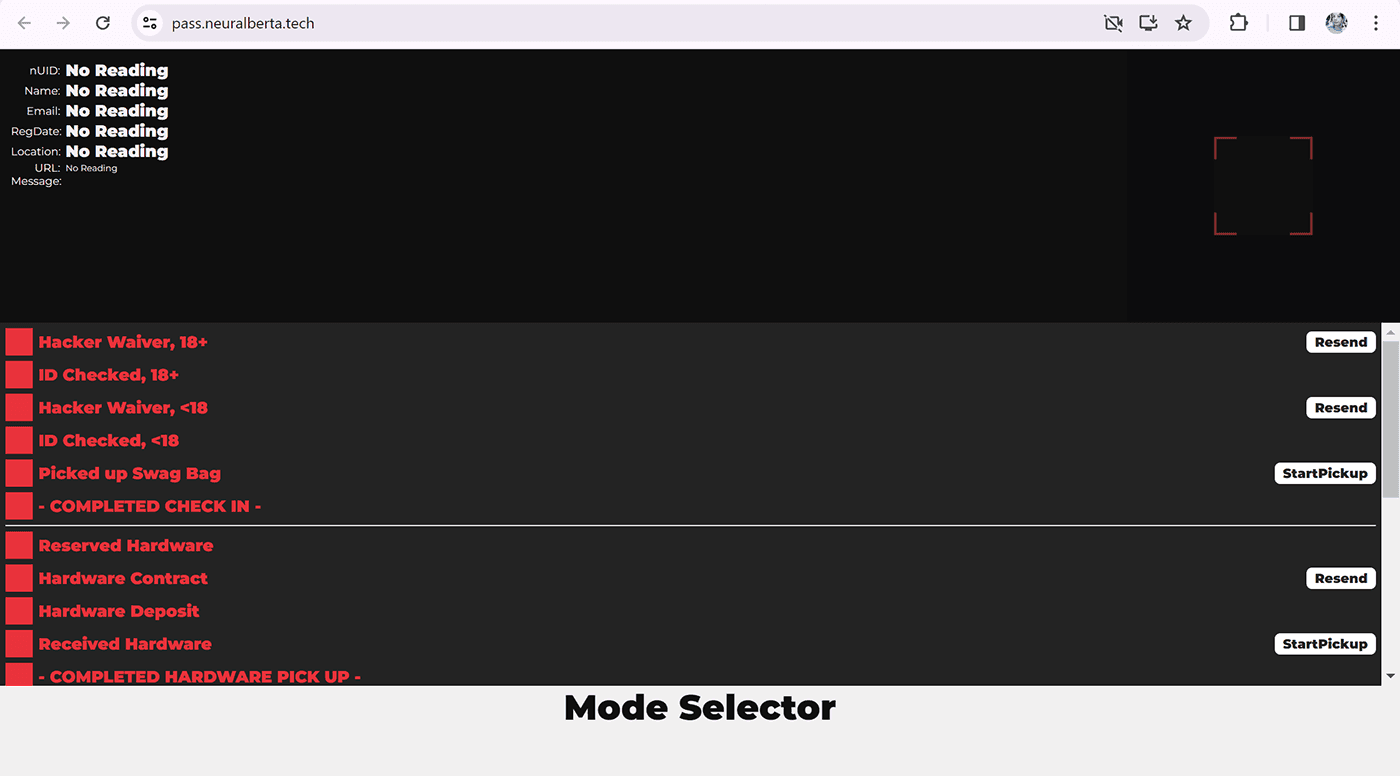
This was the original WebApp we were tasked with enhancing.
2. Brainstorm
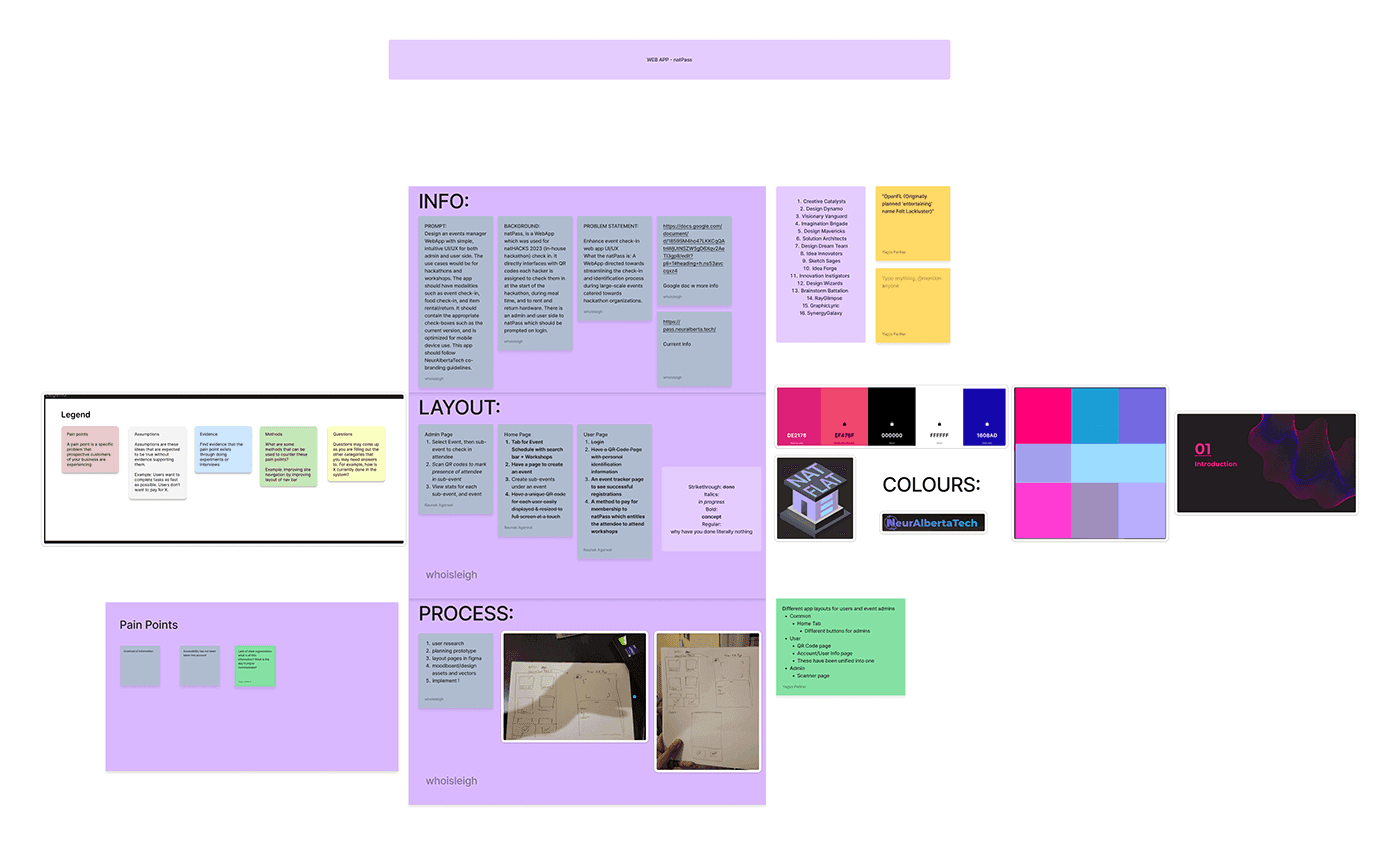
This is the brainstorm/collab board we made in FigJam.
3. Research
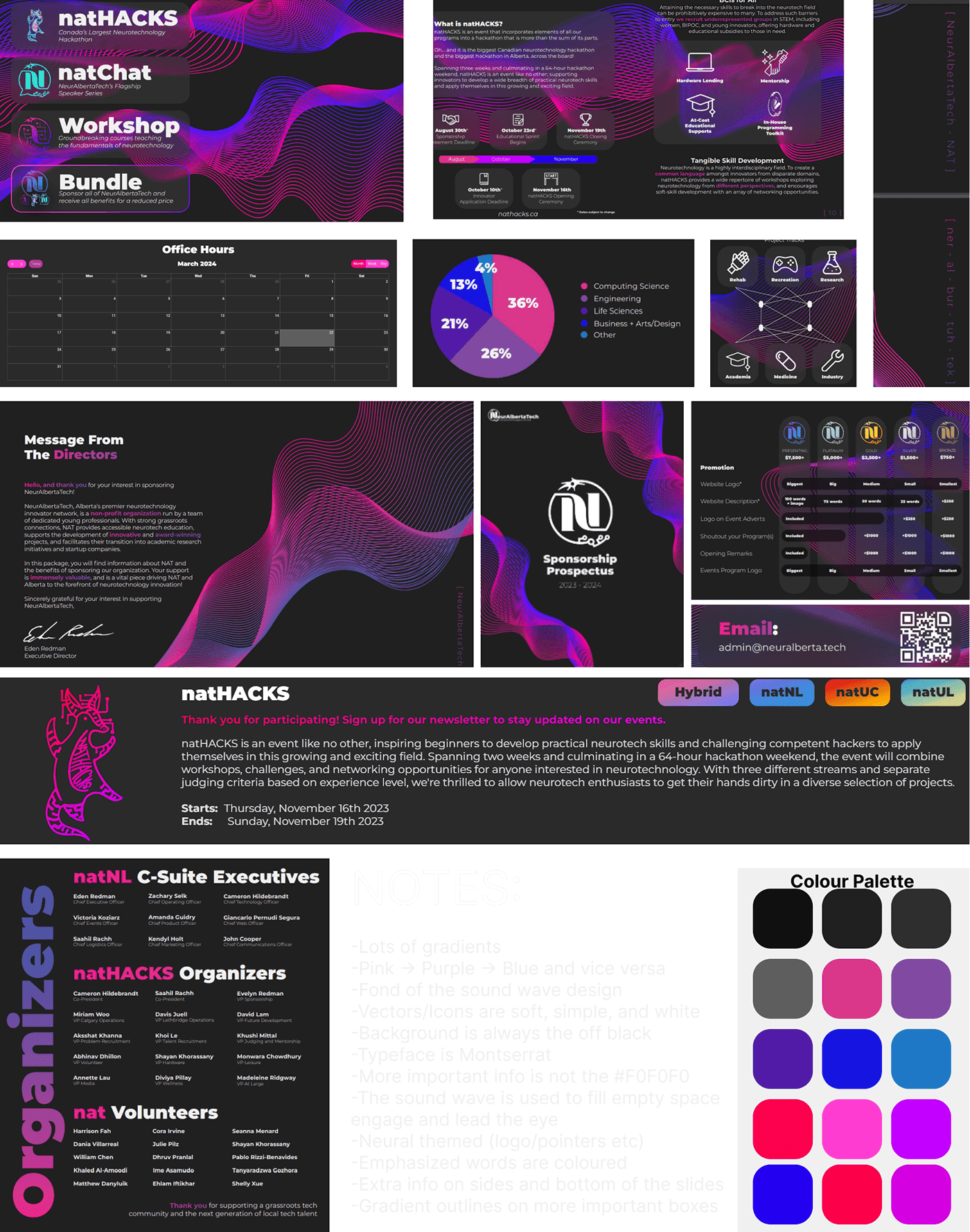
This image below is the moodboard. To find all the elements shown here, I searched through the neurAlbertaTech website and additionally found a slideshow to view. From there I took pictures of different elements and compiled them in the moodboard to get a sense of the neurAlberta’s design identity.
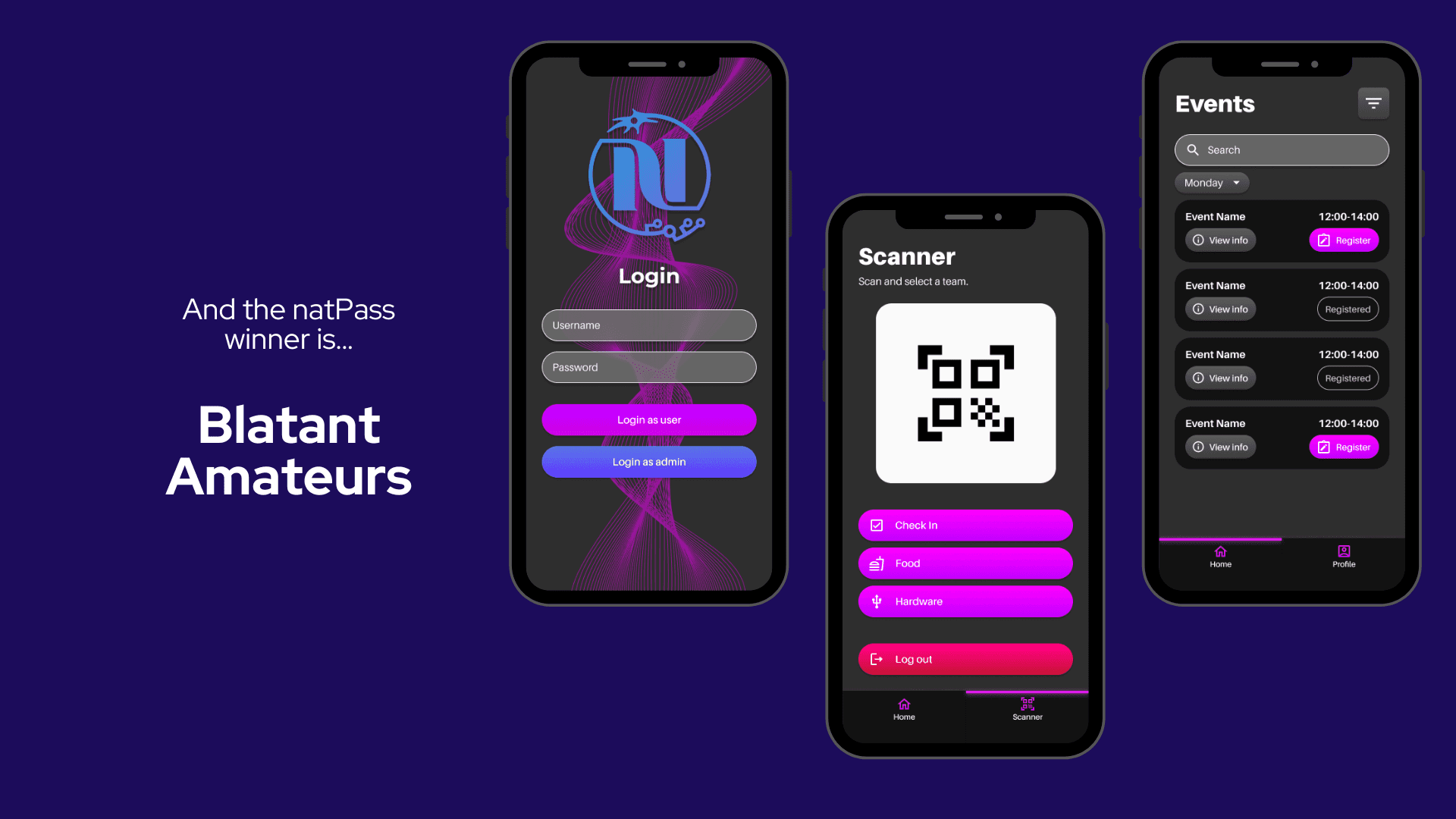
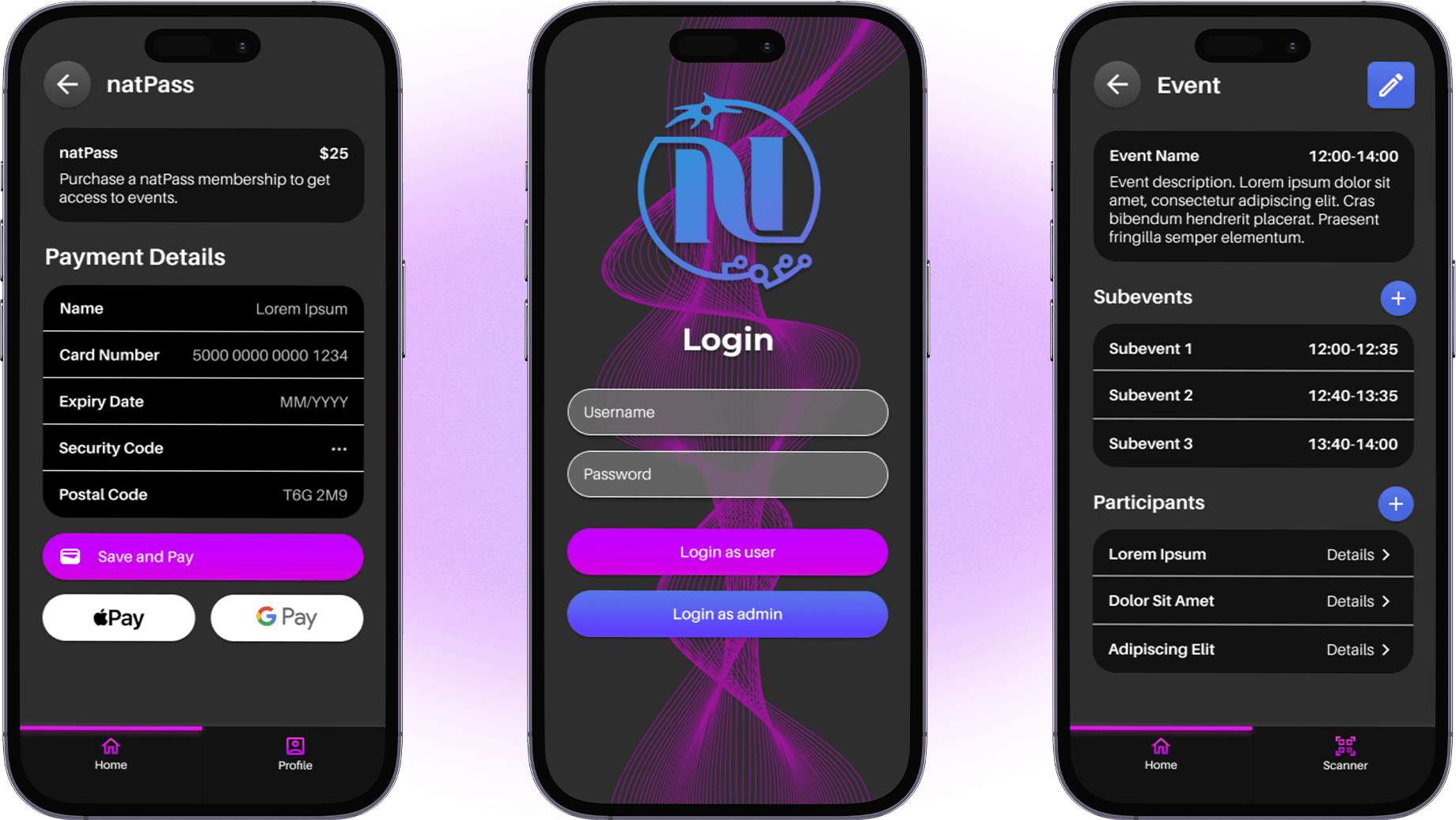
From there, I created a sample palette and a notes section. Within the notes section I logged any distinct or important characteristics that would help guide the design of our prototype. One key characteristic that carried over into the prototype was the sound wave/line design, recreated in Adobe Illustrator; we included the wave line in the background of our login page.
4. Wireframing
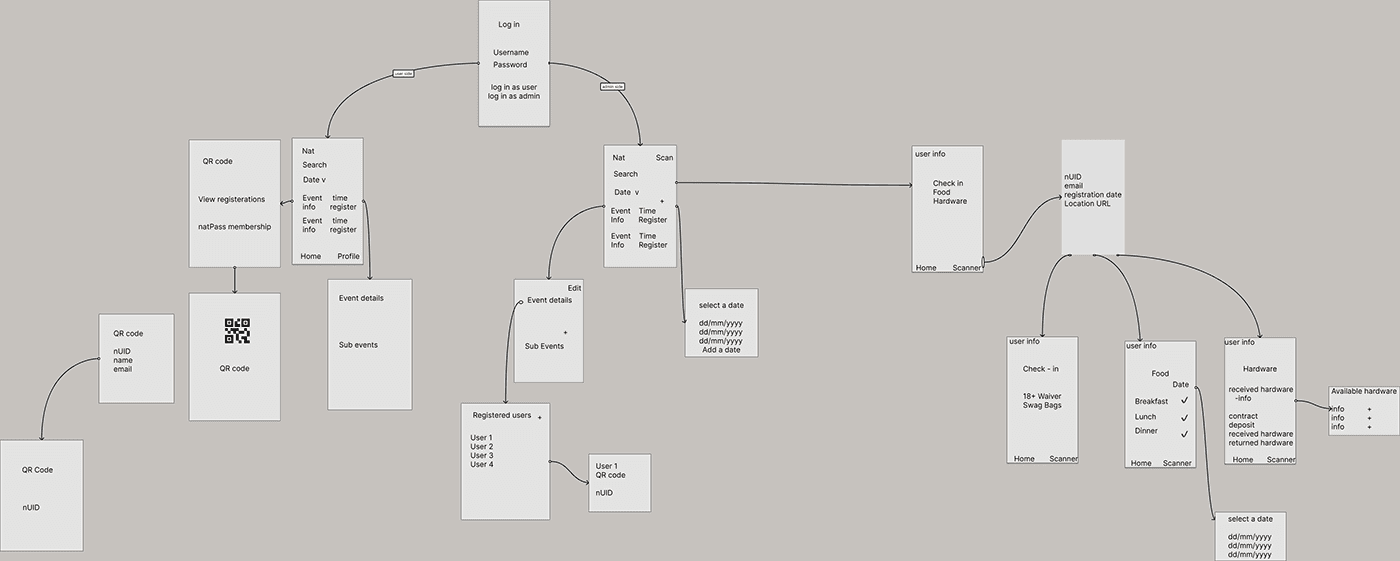
After we sketched rough designs in Freeform, we put those ideas into a sample wireframe to help us plan the flow of the official prototype and interface.
5. Prototyping
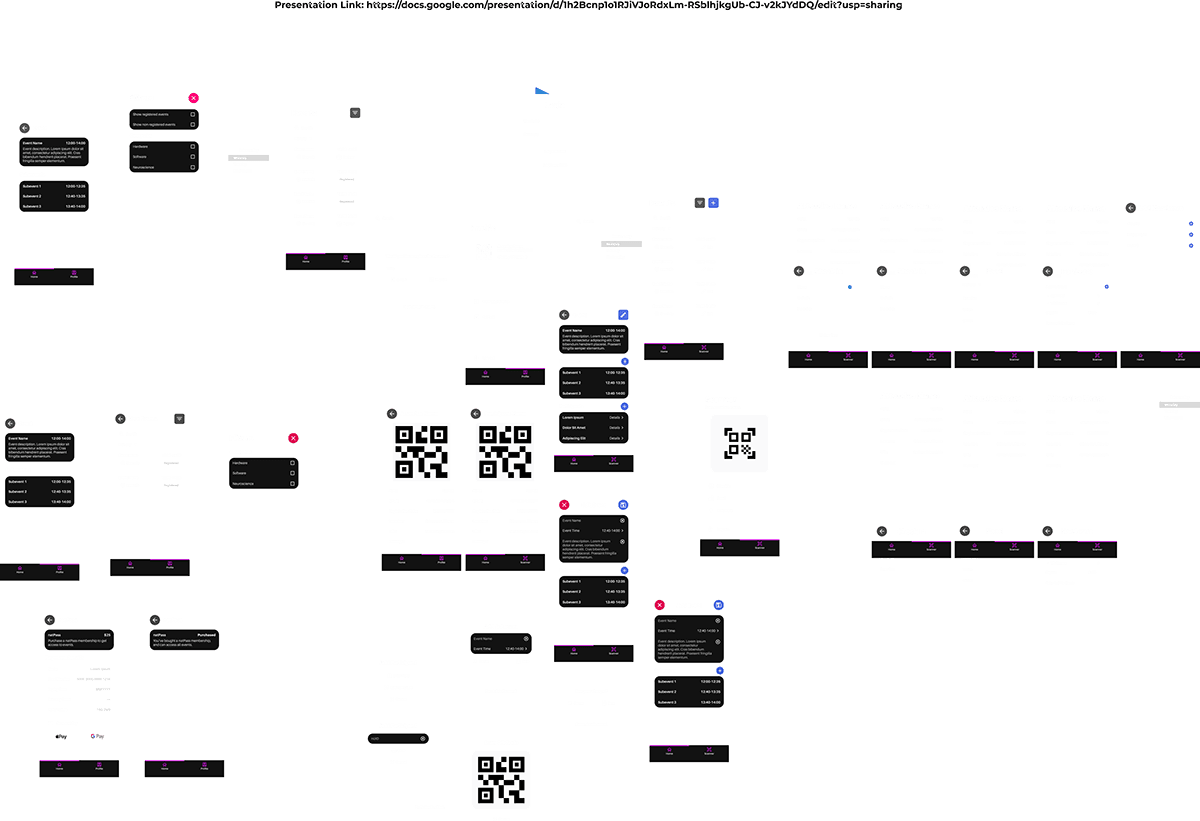
After completing our previous work, our team went straight to making assets/the individual parts of the pages, below is the asset page where we made and organized what we needed to complete the prototype, these two pages were worked on and updated simultaneously as with a team of 4 the work can be split up.
Results & Reflection
REFLECTION
In summary, collaborating with my exceptional team has been an enriching experience, providing me with valuable insights into Figma, prototyping, UI/UX, wireframing, and beyond. The event itself was nothing short of extraordinary, and I eagerly anticipate engaging in similar opportunities in the future to further hone my skills and expand my network!
RESULTS